
Mask what distracts you
Noise you can actually shape, not a fixed preset. Roll the top off brown noise until it covers traffic without sitting on top of your own thoughts, or lift the low end to bury a neighbour's bass.
Alpha Waves · Noise Masking
Shape your sound environment.
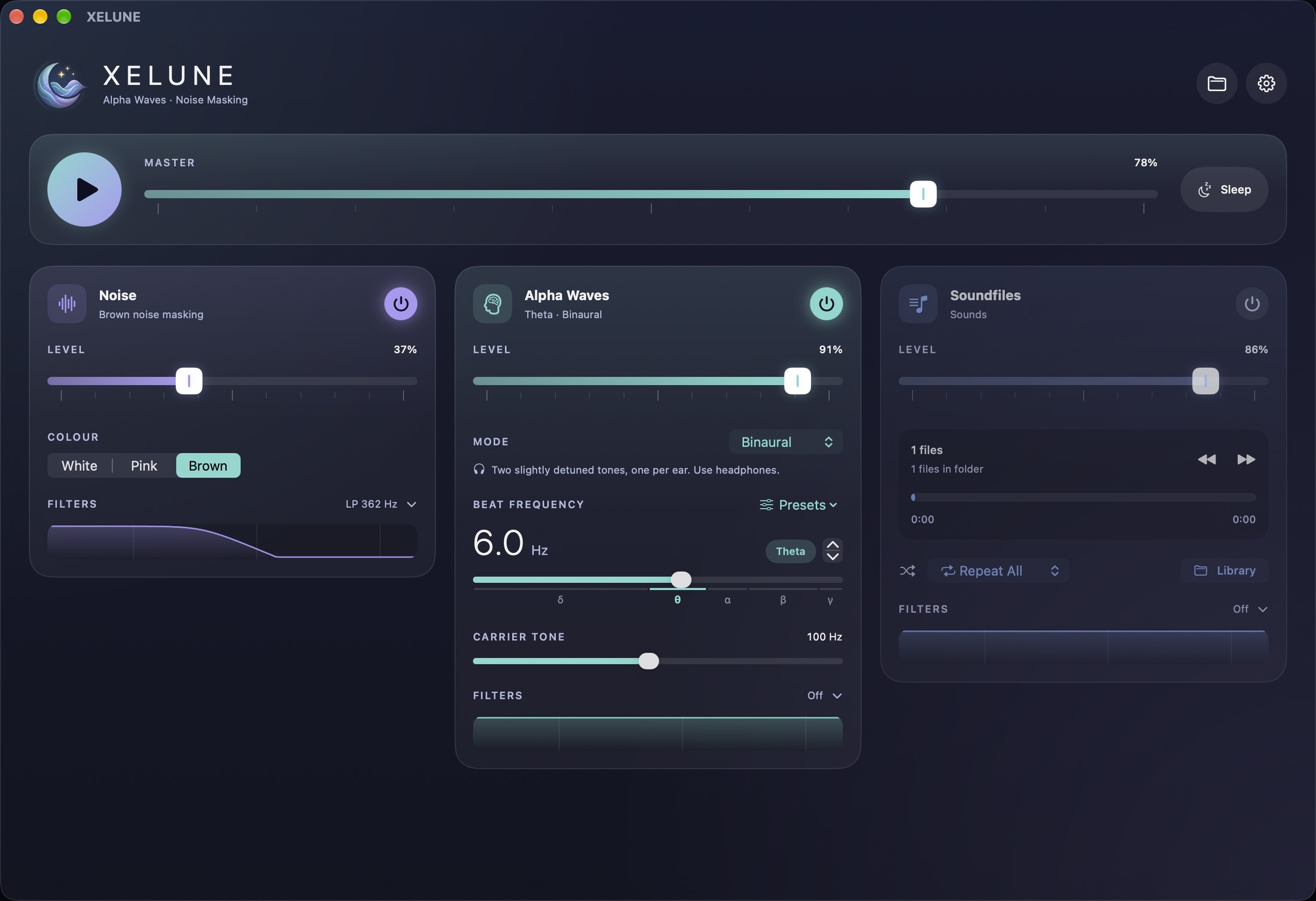
Noise masking, binaural layers and your own sounds in one precise mixer. Not another white-noise app — a three-track instrument for focus, sleep and a bit of privacy. Build a mix, save it as a scene, and it is on every one of your devices.
What it is for
Noise you can actually shape, not a fixed preset. Roll the top off brown noise until it covers traffic without sitting on top of your own thoughts, or lift the low end to bury a neighbour's bass.
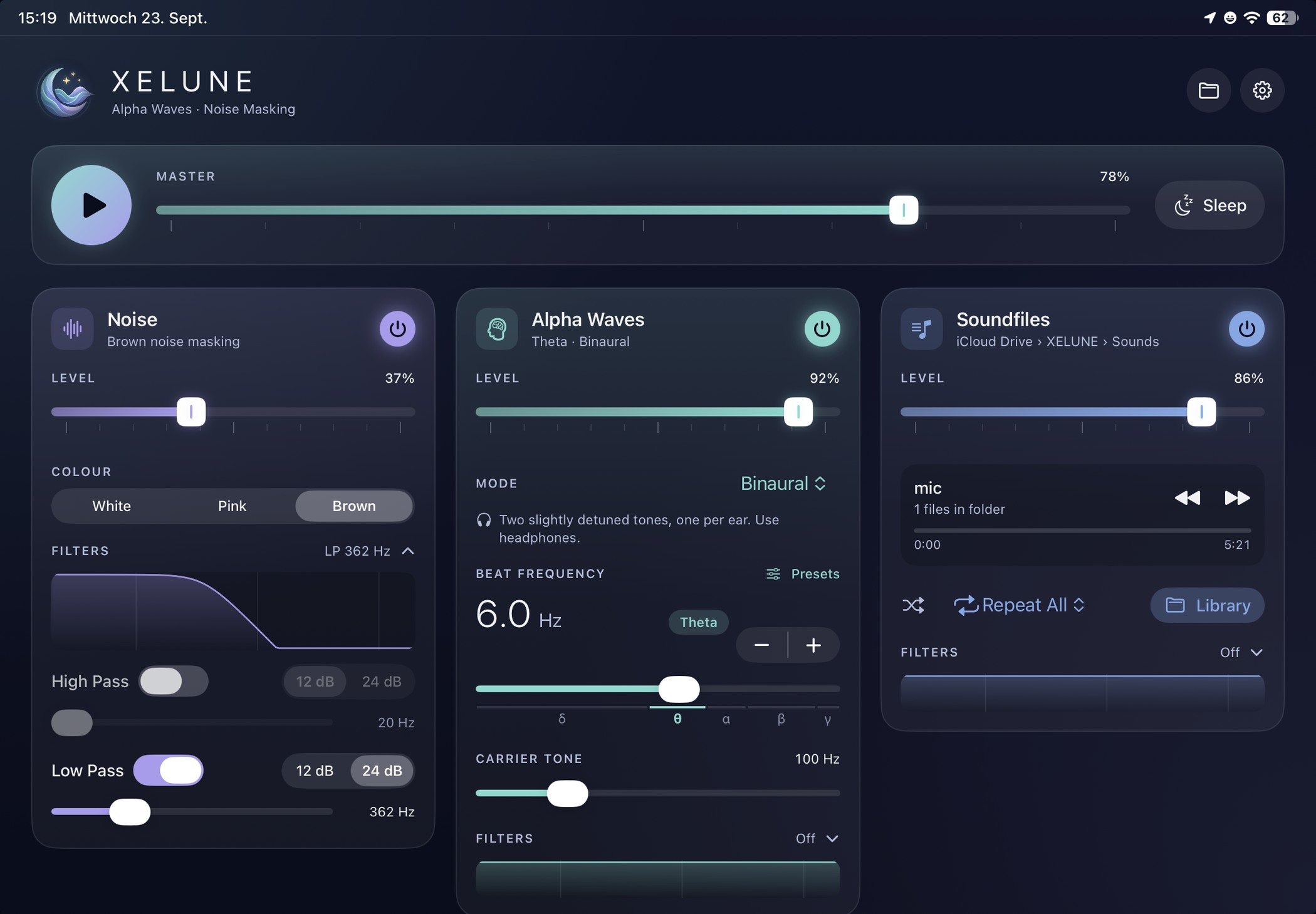
Three sources running at once, each with its own fader and filters, under one master. Rain over brown noise with a barely-there beat underneath is a mix you make — and save as a scene you can call back by name.
Point the third track at your own folder — field recordings, a guided session, a long ambient piece. No closed library, no catalogue you have to accept. iCloud carries it to the next device.
The mixer
Every track is independent: switch one off and the others keep going. Levels, colours, filters and the beat all stay exactly where you left them the next time you open the app — and the whole arrangement can be saved as a scene.
A continuous bed of noise to cover what's happening outside the room. Brown for traffic and voices, pink for a softer hiss, white when you want the whole spectrum.
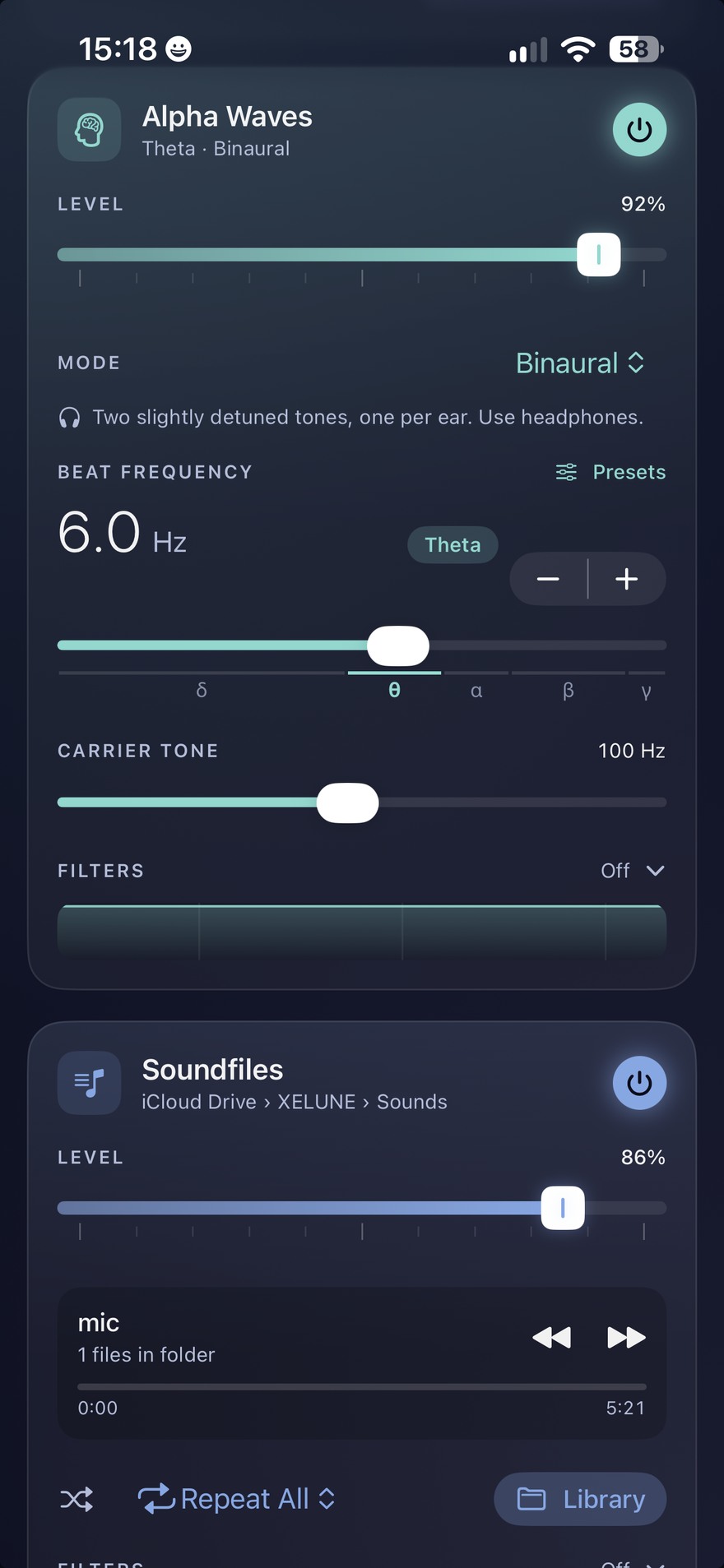
Two slightly detuned tones, one per ear. The difference between them is the beat you hear — set it anywhere from deep delta up through gamma, or jump to a preset band.
Your own material on the third track: rain you recorded, a guided meditation, a long ambient piece. Point XELUNE at a folder and it plays through it, in order or shuffled.
Beat frequency
The beat frequency slider spans the classic EEG bands. XELUNE marks them right under the control, so you always know which part of the map you are on. Treat them as named starting points for your own listening, not as settings with a promised effect.
Band edges follow the usual EEG convention, and the labels describe where people tend to set things — not an outcome XELUNE claims to produce. Pick by ear. Binaural beats need headphones: the beat only exists because each ear gets a different tone.
Filters · every track
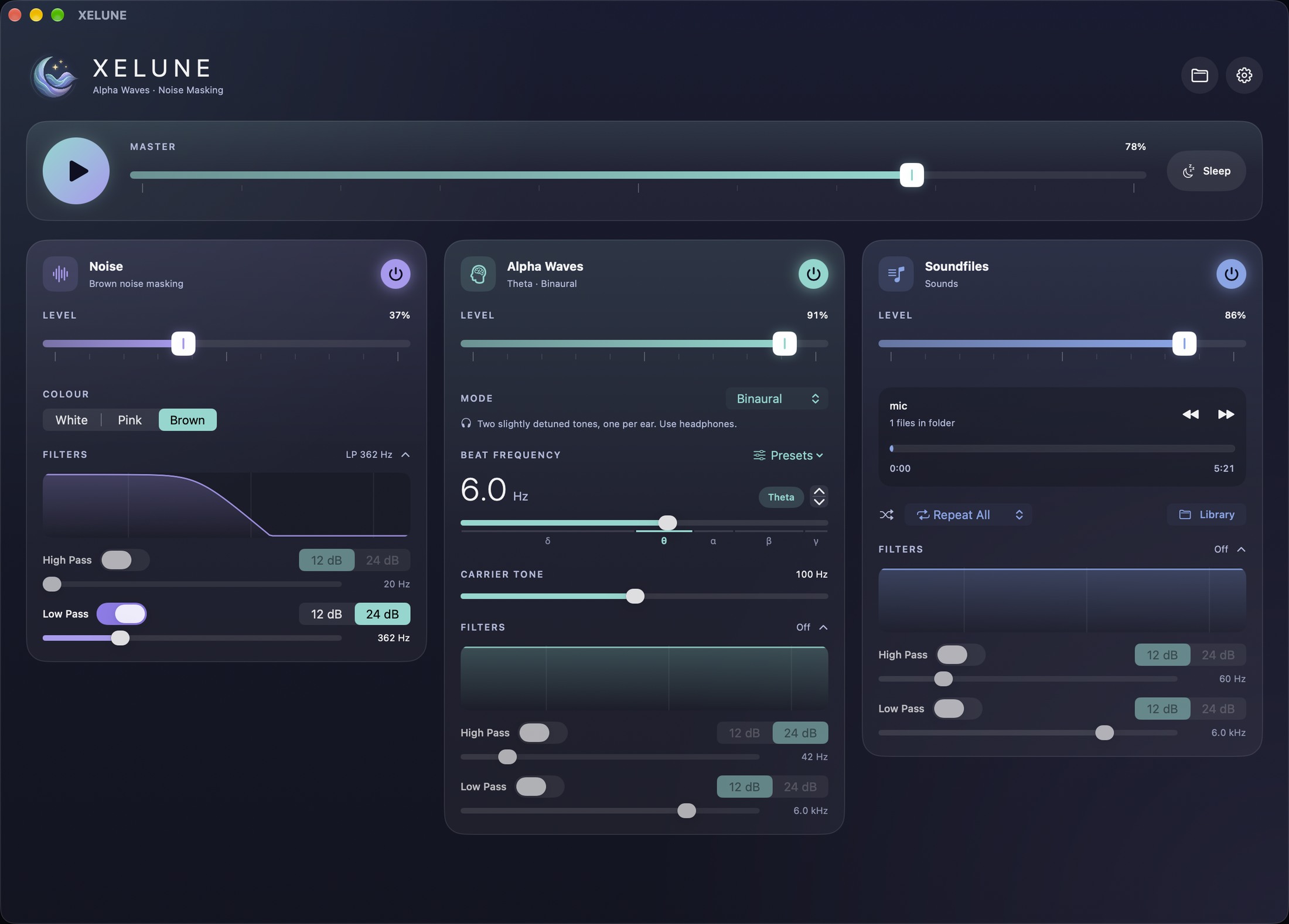
Roll the top off brown noise so it sits behind you instead of in front. Cut the rumble out of a field recording. Each filter runs at 12 or 24 dB per octave, and the curve above the controls shows what you just did. Drag the slider below to see how the two slopes differ.
Low pass · 24 dB/oct
Scenes
A scene stores what the mixer is doing — every level, the noise colour, the beat and its carrier, and each track's filters. Save the one that works against your street, another for the train, another for the last hour of the evening. One tap puts the whole desk back.
Example scenes. Yours are whatever you build — and because they travel over iCloud, the scene you set up on the Mac is already there on the phone.
Sleep timer
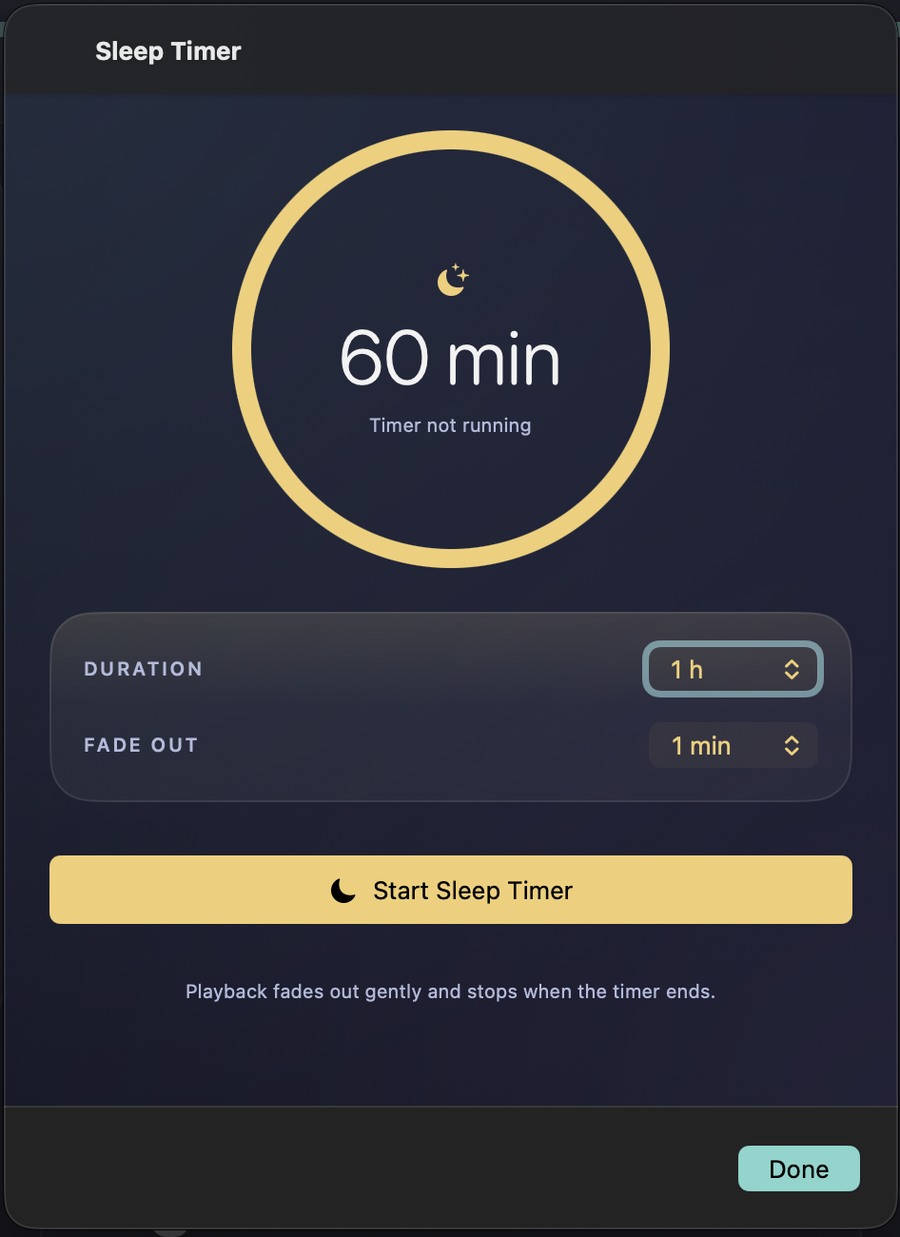
Set a duration and a fade, press start, and put the device down. XELUNE doesn't cut off mid-breath — it brings the whole mix down gently over the fade time and stops.
iCloud
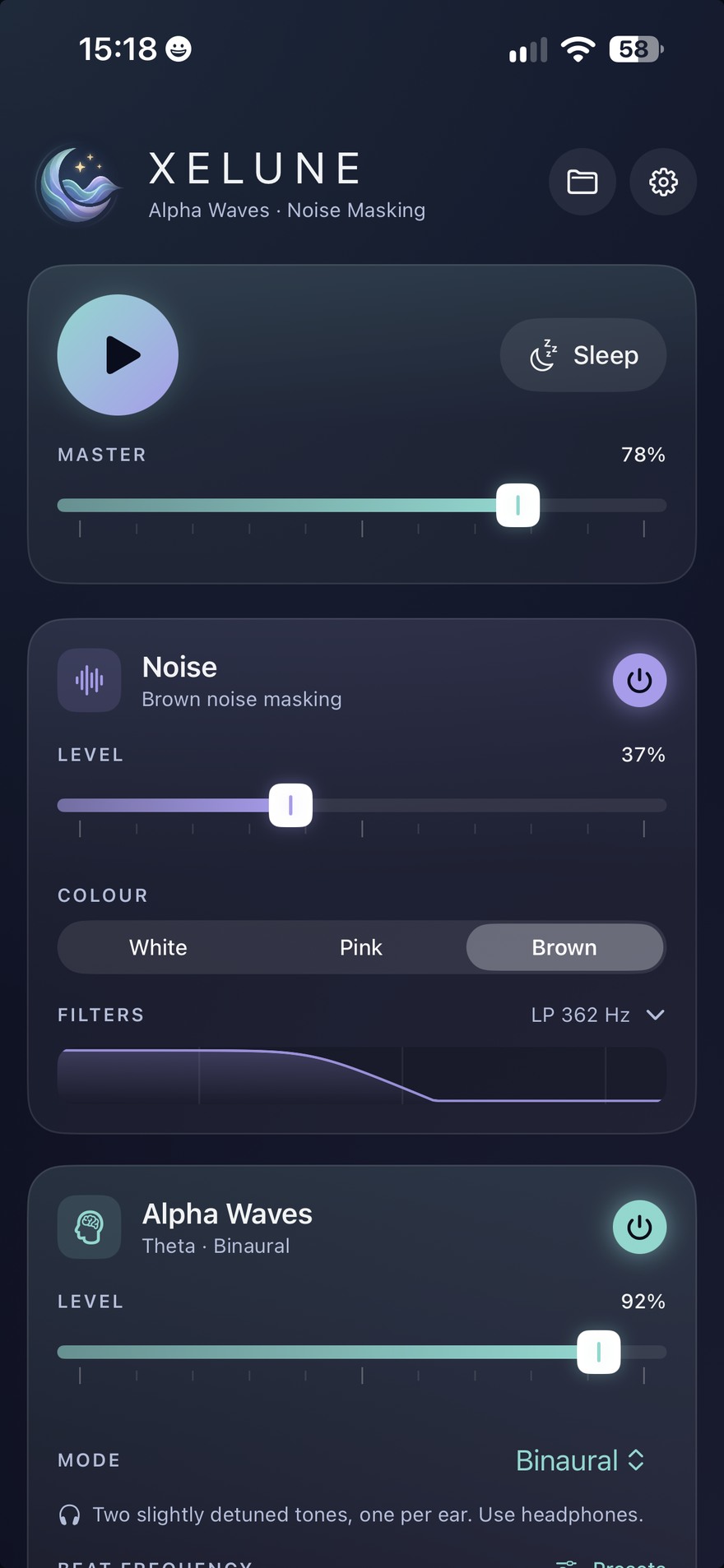
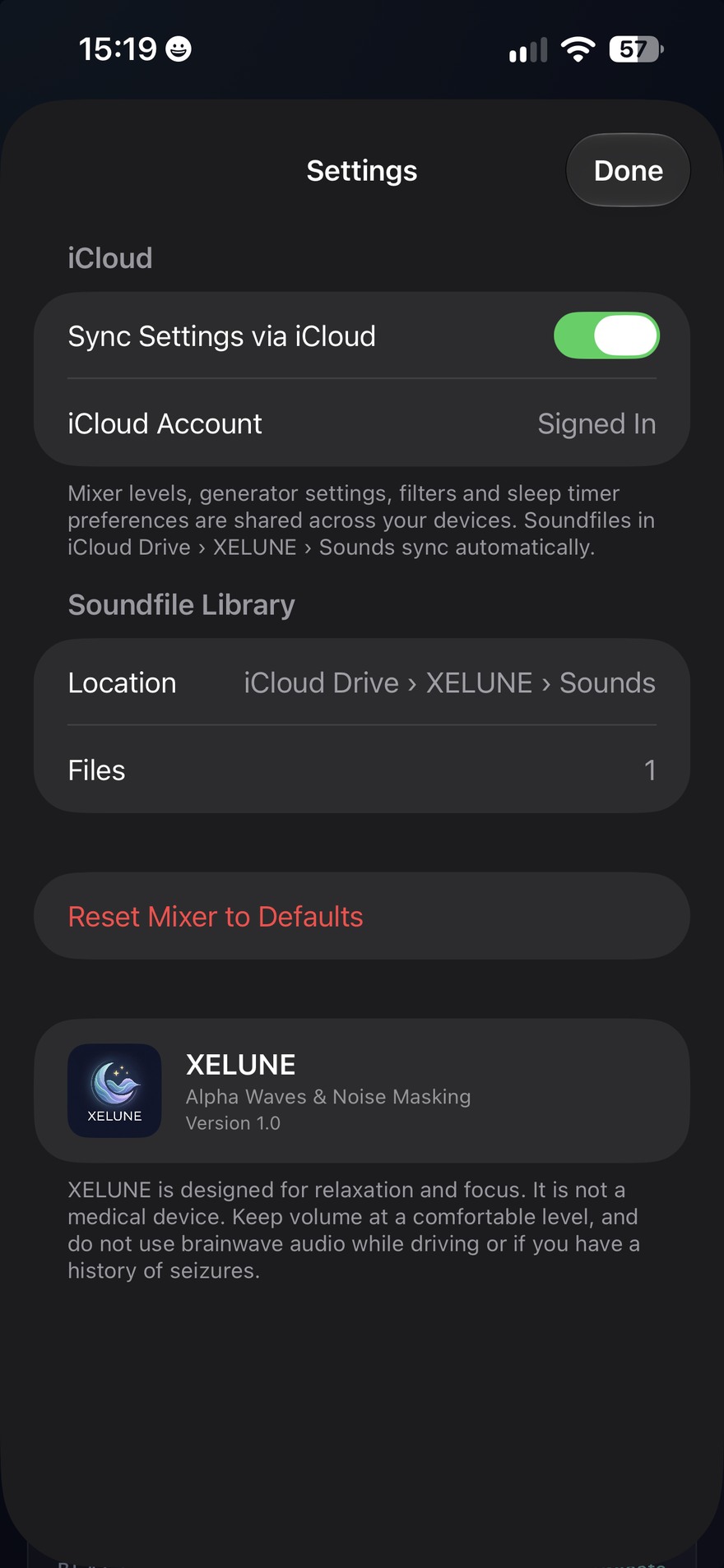
Turn on Sync Settings via iCloud and your mixer — scenes included — follows you between the Mac, the iPad and the phone. Build a scene at your desk in the afternoon; it's waiting on the nightstand.
Soundfile library
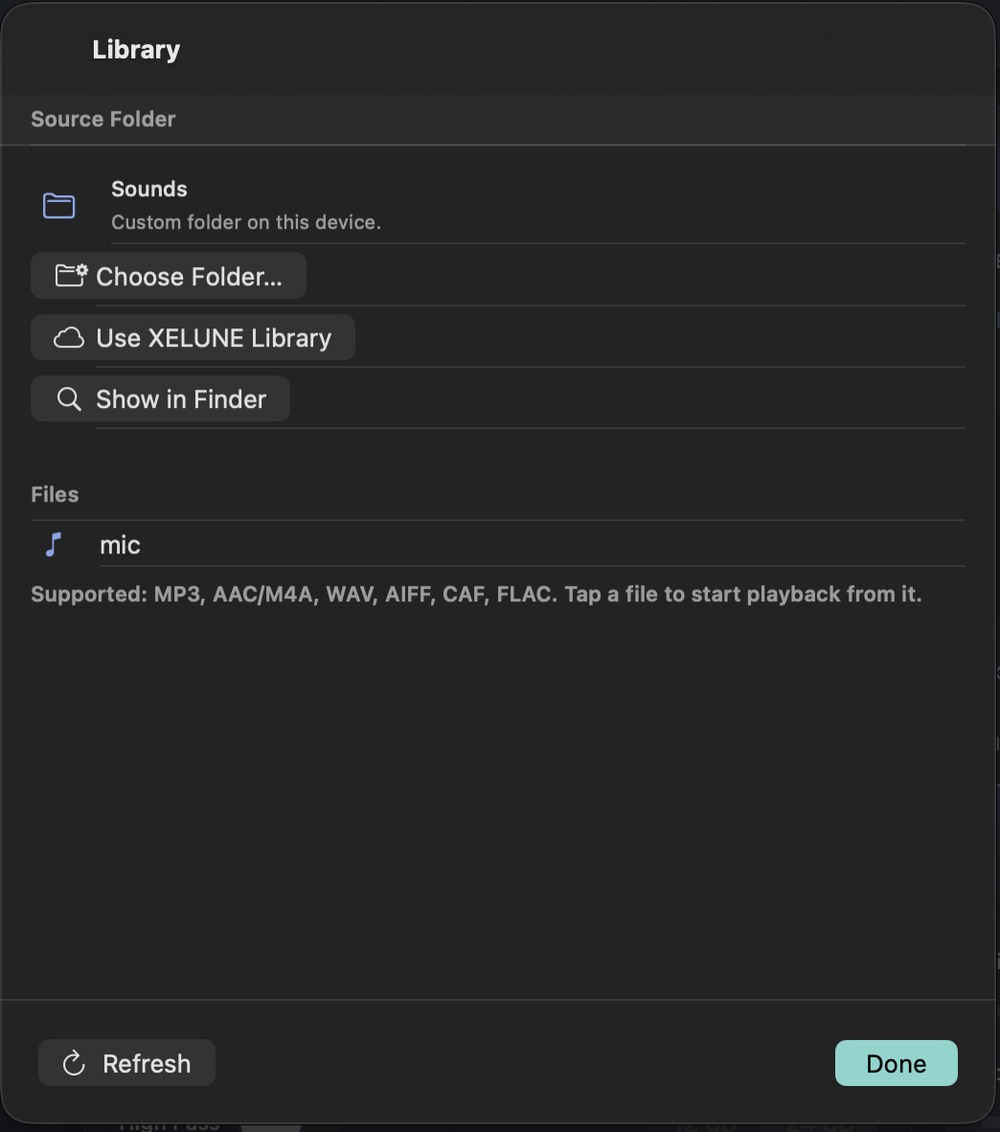
Choose any folder on the device, or hand the job to iCloud and let the shared XELUNE library keep every machine in step. Files are listed by name; tap one to start playback from there.
How it compares
Most apps in this category are content players with a volume slider. XELUNE is a mixer — which changes what you can do when the noise outside doesn't match the preset.
| XELUNE | Typical noise app | |
|---|---|---|
| Noise | White, pink and brown, each shapeable | The same three colours as fixed presets |
| Sound shaping | High pass and low pass per track, 12 or 24 dB/oct, with a live response curve | No filters, or a single tone knob |
| Binaural beats | Free beat frequency from delta to gamma, adjustable carrier, presets per band | Fixed sessions or a short list of frequencies |
| Your own audio | A dedicated third track: any folder, iCloud Drive, shuffle, repeat, six formats | A closed library you cannot add to |
| Scenes | Save your own mixes by name and sync them across devices | Fixed presets chosen by the developer |
| Mixing | Three sources in parallel, own faders plus a master | One sound at a time, or simple layering |
| Platforms | macOS, iPadOS and iOS | Mobile only, or a thin desktop version |
| Persistence | Every setting survives a restart; iCloud carries it between devices | Local presets; sync usually behind a subscription |
Pricing
XELUNE is a tool, not a content service, so it is priced like one. Start free, unlock everything with a single purchase that covers the Mac, the iPad and the iPhone.
Free
€0
XELUNE Pro · Universal
€14.99 €19.99
No subscription. A mixer that plays your own files, offline, has no running cost to pass on. If curated sound packs or workplace features arrive later, they will be priced on their own — the app you bought will not move behind a paywall.
What comes next
Planned · not in 1.0The instrument and its scenes are shipping. These are the additions that would make it quicker to reach for, roughly in the order they are worth doing.
Start a scene from Siri, a shortcut or the Home Screen — “Deep Work for 45 minutes” without opening the app.
Switch scene, level and timer from the menu bar, without bringing the window forward.
Sensible behaviour when the output device changes — binaural only works on headphones, and the app should say so.
Optional profiles aimed at a specific nuisance: traffic, voices, low-frequency hum.
Optional field recordings and ambient loops for the third track, for anyone without a library of their own.
At a glance
| Tracks | Three, independently armed and levelled, under one master fader |
|---|---|
| Noise colours | White, pink, brown |
| Brainwave audio | Binaural, two detuned tones with an adjustable carrier |
| Beat range | Delta through gamma, with presets and a fine stepper |
| Filters | High pass and low pass per track, 12 or 24 dB per octave, with a live response curve |
| Playback | Folder playback in order or shuffled, Repeat All, skip and scrub |
| Audio formats | MP3, AAC/M4A, WAV, AIFF, CAF, FLAC |
| Scenes | Save the full mixer state by name and recall it in one action |
| Sleep timer | Duration plus a separate fade-out, with a countdown ring |
| Sync | iCloud — scenes, mixer, generators, filters, sleep preferences and the Sounds folder |
| Platforms | macOS, iPadOS, iOS |
| Version | 1.0 |
XELUNE is designed for relaxation and focus. It is not a medical device, and it does not treat any condition. Band names and presets are starting points for your own listening, not claimed effects. Keep volume at a comfortable level, and do not use brainwave audio while driving or if you have a history of seizures.